Run the whole job from one simple app.
Book it, dispatch it, quote it, get it signed and get paid — on any phone or computer. Built by a field pro for crews who would rather be working than clicking.
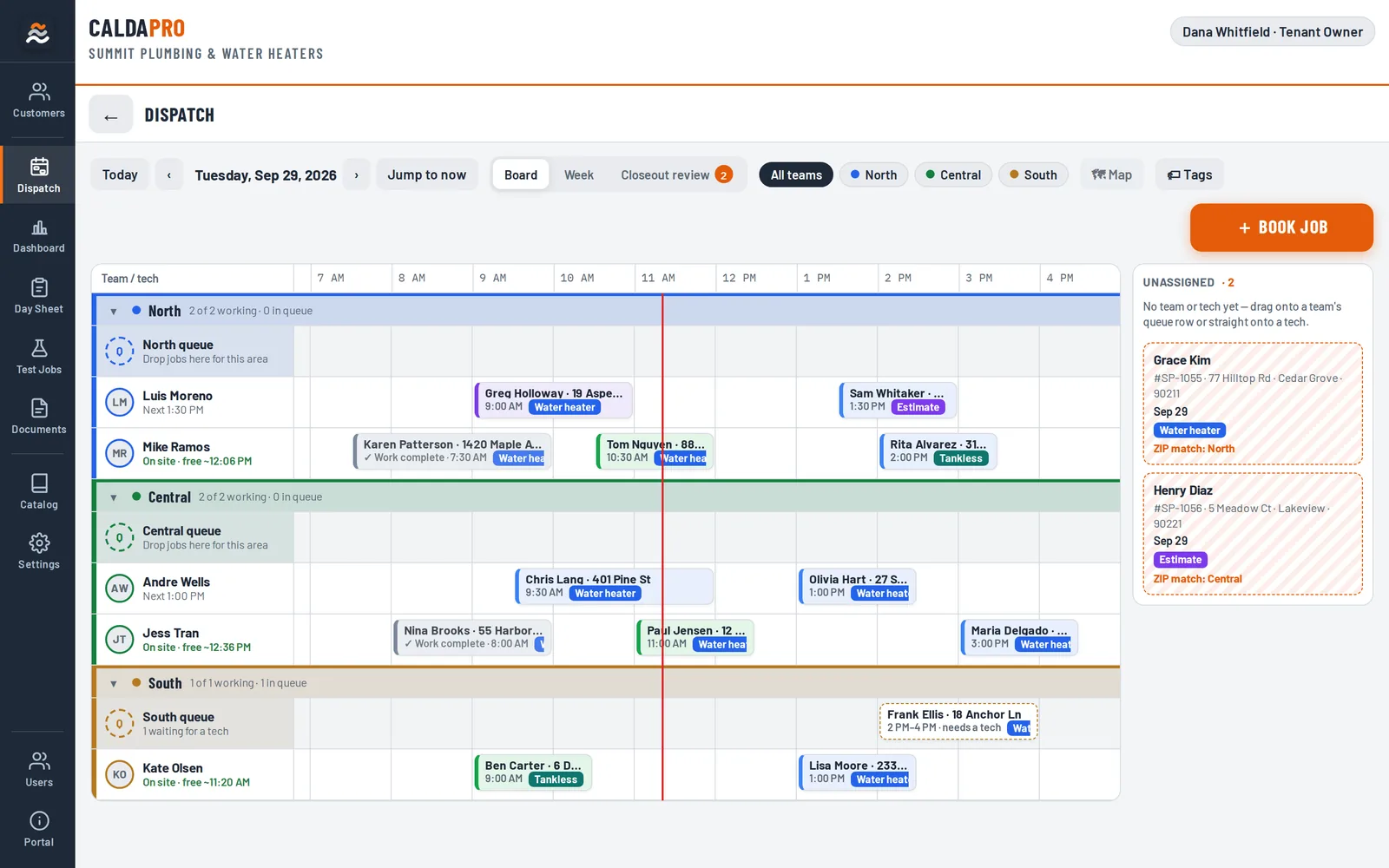
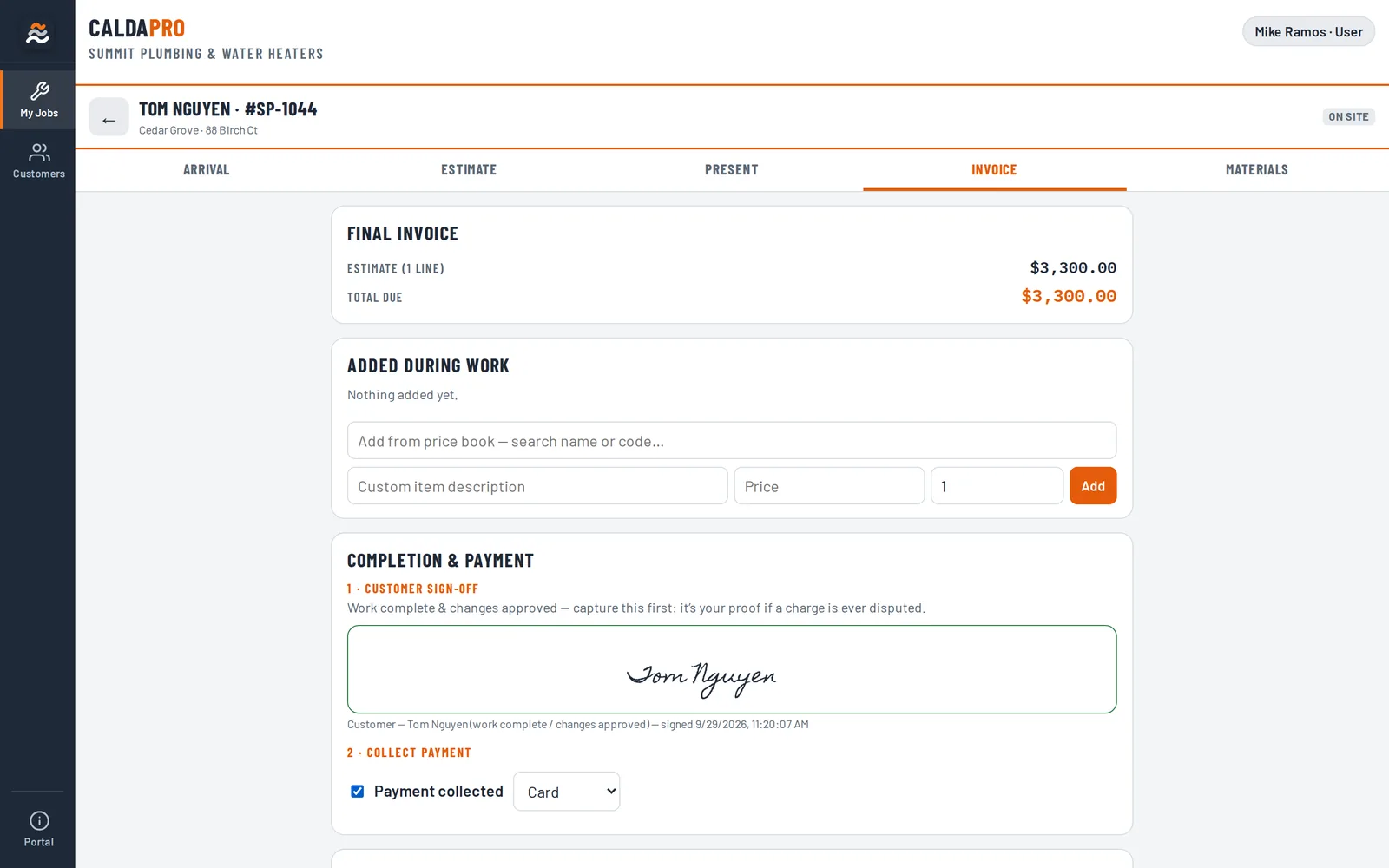
Dispatch board. Every tech and team on one scrolling day. Drag calls into place; unassigned calls wait on the right.
Screens show a demo company with made-up customers.
From the first phone call to the paid invoice
Book & dispatch
Arrival windows, teams by area, drag-and-drop scheduling and a map of the day.
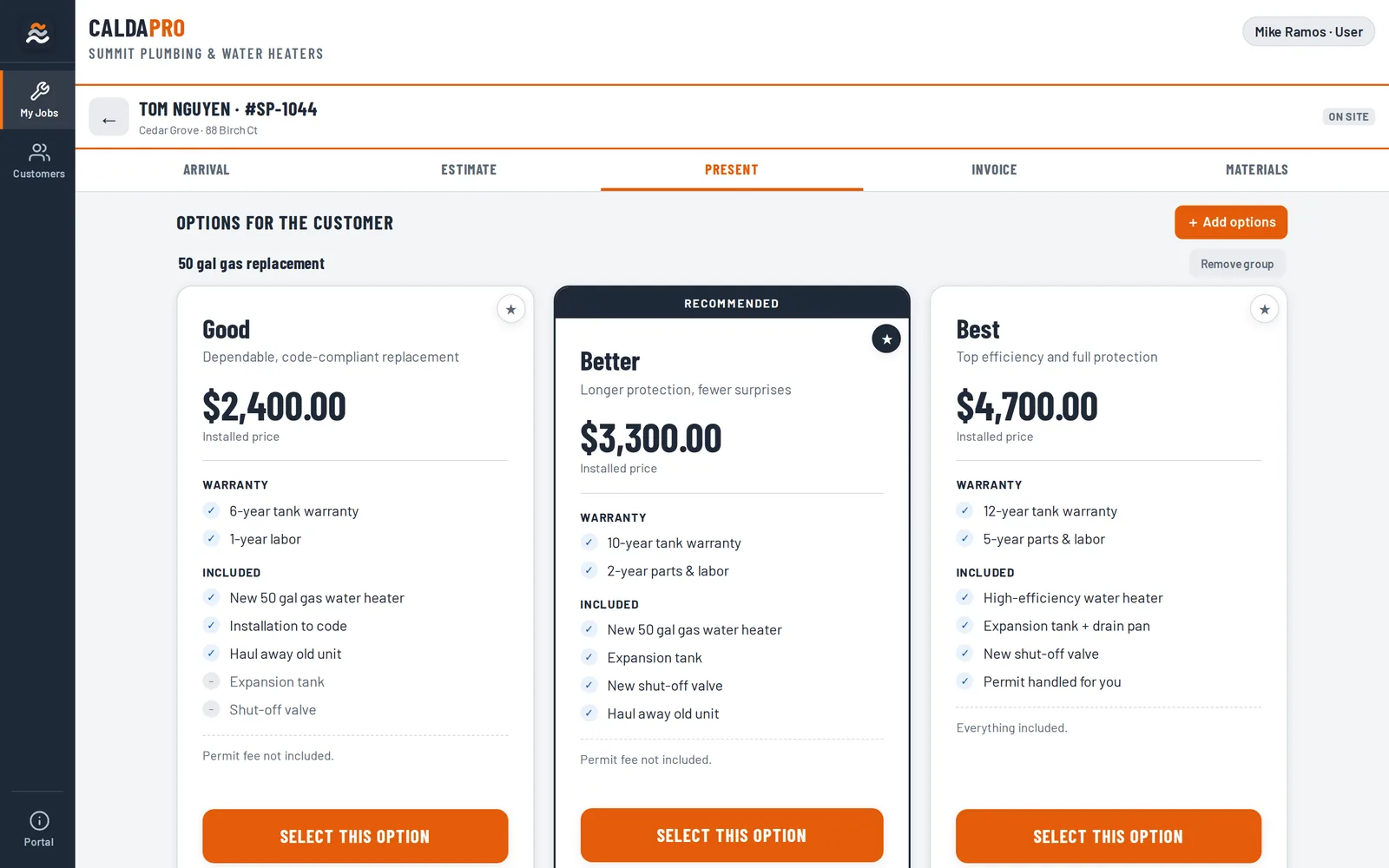
Sell on site
Good / Better / Best options, packages and your own price book.
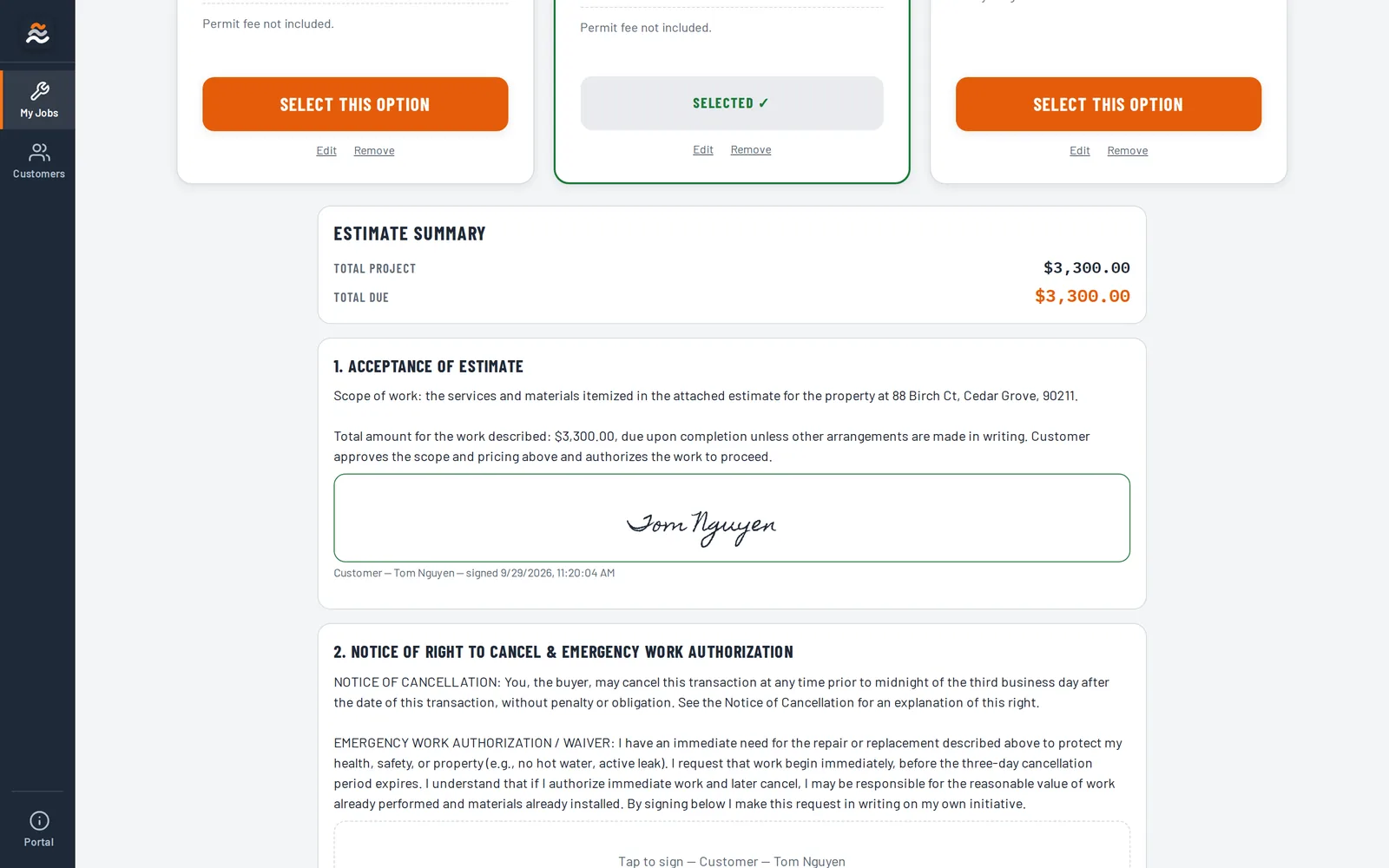
Get it signed
Agreements and completion signed on the tablet or by a link.
Get paid
Invoices, completion sign-off, payment tracking and office closeout checks.
Your techs, set up for success
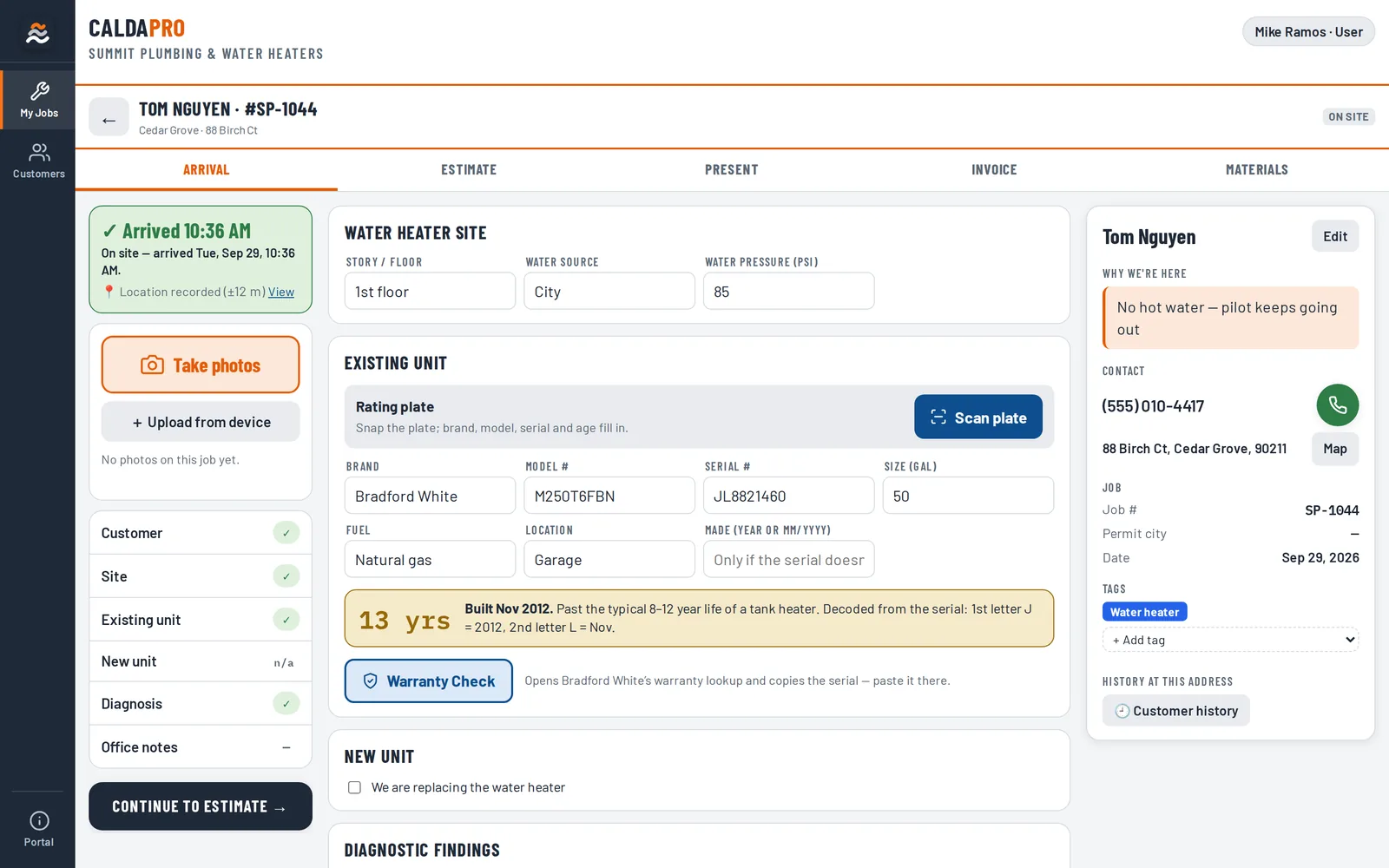
Everything on one screen when they walk in the door.
- One tap to mark arrival — time and location saved
- Snap the equipment label to fill in model, serial and age
- Photos, notes and the customer's history in one place
- Tap-to-call the customer from the job
Your office, finally in sync
Nothing slips between the truck and the books.
- Book calls into arrival windows and route them to the right team
- Answer and make calls right in the app
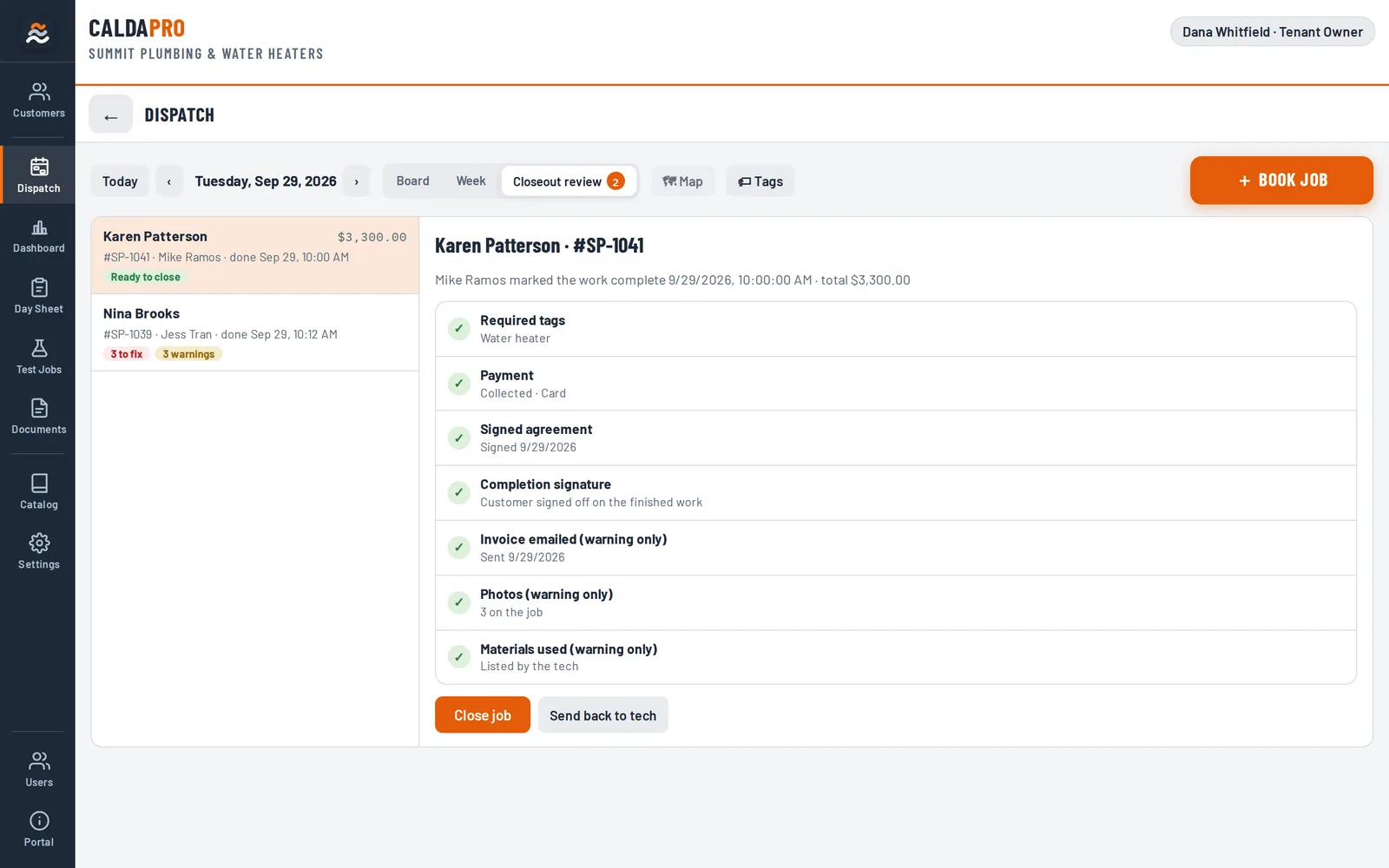
- Close out jobs with a checklist: tags, payment, signatures
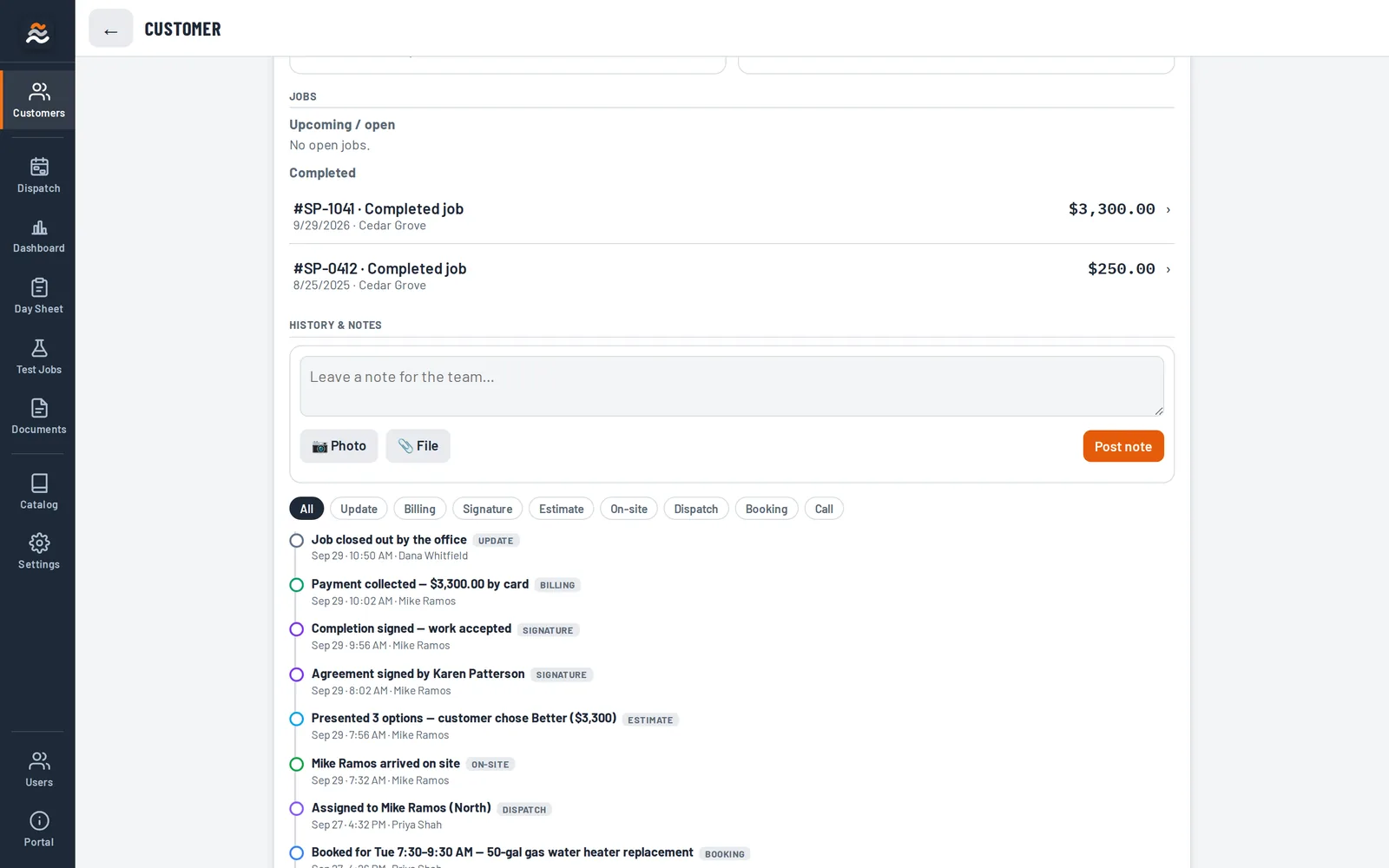
- Every call, visit and signature saved to the customer
Up and running without the headache
- 1Tell us about your shopYour trade, your team and how you schedule.
- 2We set it up with youPrice list, customers and your logo on every document.
- 3Invite your crewTechs sign in with Google or Microsoft — no passwords to manage.
Made for home service crews
“I ran calls in the field and ran the office after. The big platforms were built for somebody else. CaldaPro is the app I wanted.”Scott Moree, founder
Simple plans. Every feature included.
- 1 user
- Every feature in the app
- Estimates, e-signatures and invoices
- Rating-plate scans
- Everything in Solo
- Dispatch board with teams
- 1 business phone number
- 500 call minutes a month
- Everything in Team
- 2 business phone numbers
- 1,500 call minutes a month
- Call recording
Extra users $29/month. Call minutes past your plan: 3¢ a minute. Extra phone numbers $5/month.
Questions
Do my techs need to install anything?
No. CaldaPro runs in the web browser on any phone, tablet or computer, and you can add it to the home screen like an app. Techs sign in with their Google or Microsoft account, so there are no passwords to manage.
Can I bring my customers and price list?
Yes. We import your customer list and set up your price book with you — including packages you want to show as Good / Better / Best options.
What happens if we go over our call minutes?
Your phones keep working. Minutes past your plan are 3¢ each and show up on your next bill — no surprise shut-offs.
Who can see my company's data?
Only the people you invite. Each company's jobs, customers and prices are kept separate, and you choose what each person on your team can see and do.
How do customers sign?
On the tech's phone or tablet with a finger, or from a secure link by email. Signed agreements are saved to the job as a PDF.
Ready to run a tighter ship?
Tell us about your shop and we'll reach out to get you set up.
Prefer email? hello@caldapro.com
We'll reach out within one business day to get you set up. Questions in the meantime? Email hello@caldapro.com.